Step by step Guide to Use LinkedIn Ads for your Business growth
Step by step Guide to Use LinkedIn Ads for your Business growth Introduction
Step by step Guide to Use LinkedIn Ads for your Business growth Read More »



Step by step Guide to Use LinkedIn Ads for your Business growth Introduction
Step by step Guide to Use LinkedIn Ads for your Business growth Read More »

How to grow your Brand with Youtube Advertising Introduction

Mastering SEO Copywriting for Maximum Impact Introduction You might also like…. 5 Reasons Why Small Businesses should take up Digital Marketing. You might also like…. 17Aug … 17Aug … 17Aug …
7 Social Media Optimization tips for your Business in 2025 Introduction As per recent research, 59% of the global population is using social media, which amounts to over 4.7 billion users in 2024. Furthermore, 60% of people use these social platforms to get information about the brands they intend to buy. Promoting your brand or business on social media has become essential to survive and thrive in this digitized era. Now, it’s become the most challenging job for every marketer to enhance your brand’s visibility on social media and strengthen your online presence. So, here we have concluded some social media optimization tips that provide ease to marketers in formulating social media strategy, which ultimately gains a higher ranking of your business on various social platforms. 7 Social Media Optimization Tips for Business #1 Create a Perfect Plan Planning provides an overview of your working process. Nothing can be successful without perfect planning. Similarly, when you start optimizing your social media profiles, you need to plan the method, path, and obstacles that might come your way. How to create a perfect plan for social media optimization? Select Your Social Media Platform Fill in all Required Information Identify Your Audience Pick Your Voice and Tone Formulate Your Posting Strategy #2 Make and Optimize Your Social Media Profiles Social media profiles are crucial for connecting with customers and enhancing your online reputation. Your profile is often the first look of your business in front of customers. Pay serious attention to making your profile attractive and striking. Elements to optimize while creating an appealing social media profile: Be authentic with your display name Carefully choose your username and optimize your URL Create an Impressive Profile Pic or Add your brand’s logo Optimize your bio by adding targeted keywords #3 Identify Potential Keywords Words or phrases searched by the user are known as keywords. Just like SEO, you need to identify keywords for social media also. Keywords play a prominent role in maximizing your exposure on social media and make you recognized by robots. Identify the most potential keywords with higher engagement then structure, curate and target them into your social media profiles in a non-spammy and natural way. These effective keywords targeting help you to rank high in SERP and also within social media searches. Points to remember while conducting keyword research: Search for long-tail keywords Include sale-oriented keywords that people use when they intend to buy something Target descriptive keywords that answer searcher’s queries, such as “how to do SMO” #4 Design Engaging Content Social media content includes images, quotes, videos, and stories that you share on your profile. Create compelling and engaging content to grab users’ attention and attract new followers. How to design engaging content for social media marketing? Show your message rather than texting Use relevant keywords with hashtags Generate original content Design graphics for evergreen content Share customers’ feedback and testimonials Host contests or run polls #5 Schedule Your Posts Post timing and quantity have a significant effect on the success of social media campaigns. The optimal time of posting your content varies from different persons and groups; you must schedule your post when your target audiences are active. Apart from the timing of the post, you must be careful about the frequency of the post. Control the number of posts in a day, don’t overwhelm your followers with your frequent posts. Best times and quantities to post on social media in 2025: Facebook: 12 pm EST on Monday to Wednesday with 3-10 posts per week Twitter: 12 pm to 1 pm on Monday to Wednesday with 5+ posts per day Instagram: 9 am to 11 am on Wednesday to Friday with a maximum of 3 posts in a day #6 Integrate Social Media into Your Website Now, you need to blend your social media profiles and your webpage to promote your brand and boost your online presence. It encourages your visitors to connect with you on various platforms and generates a sense of versatility. Steps to integrate social media and your website: Add social sharing buttons on your website Put your website link on your social media profiles Allow users to sign up or log in to your website using their social media accounts #7 Frequently Evaluate Your Performance Creating engaging posts is not enough; you must frequently measure your performance. Identify which content performs better and consider it for reposting. Track poor-performing content and improve it to increase its reach. Metrics to measure: Engagement rate (likes, comments, shares, retweets, etc.) Reach analysis (impressions, clicks, conversions) Followers’ growth Response rate, loyalty, and sentiments In Final Words Optimizing social media is an investment to improve your website’s organic results. Follow these updated steps to maximize your social media optimization and achieve better results in 2025. You might also like…. How to Calculate ROI in Digital Marketing — Strategy, KPIs & Why It Matters You might also like…. 17Oct How to Calculate ROI in Digital Marketing — Strategy, KPIs & Why It Matters 17Oct What Is Growth Hacking: Meaning, Strategy & Why It’s Important in Marketing 26Aug Why Social Media Marketing Is Important for Your Business: Benefits, Costs, and Strategies for Small Businesses
7 Social Media Optimization tips for your Business in 2025 Read More »
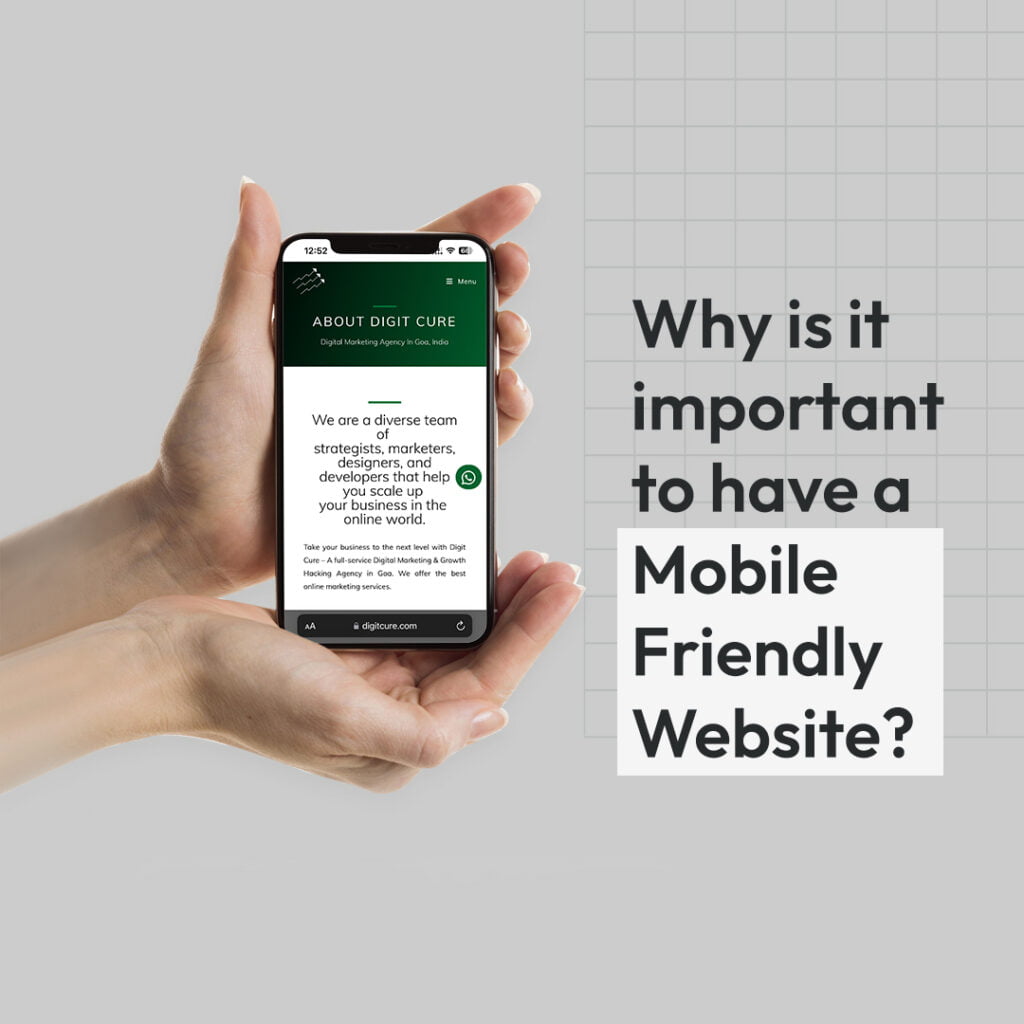
Why is it important to have Mobile Friendly Website? Introduction Whether you are an online business just starting up, launching yourself in the online world, or an already established business backed with experience. The ultimate goal of having a website is to enable you, your brand, and your business to flourish. Having a website benefits you to attain maximum exposure. After all, 99% of business decisions begin with a search engine search, which statistically implies that if you do not have a website, you are only selling to 7% of your market. Now that you have your website, another major requirement would be to make it a ‘user-friendly’ website. But what does it mean to have a user-friendly website and how exactly do you make your site respective? A User-friendly interface is exactly what those words narrate, you can use a website with ease and no trouble. As a website owner, you do not want your audience facing any difficulty while viewing your site. It has to be easy to navigate, simple to comprehend and make the viewer satisfied with their experience. Being user-friendly also means that you have a website design that is simple and responsive. Using a responsive design eliminates the unnecessary resizing, scrolling, zooming, or panning that occurs when sites have not been optimised for different devices. It is often very difficult to navigate these sites, and it may even cost you potential customers who can become frustrated with trying to figure out how to do something on your site. Responsive website design replaces the need to design a dedicated mobile website for smartphone users. Thus also saving you time and money effectively. Now, instead of designing multiple websites for different screen sizes, you can design just one website that scales up or down automatically to match the device it is being viewed on. That is, mobile-responsive, Laptop responsive, tab responsive etc. In 2012, the number of smartphones and mobile users rose up to 90.6 million, a decade later, in 2022, the number further scaled up to 931.3 million, and in the coming 10 years, the number is said to further go up with the numbers reaching to 1.3 billion. This further favors having a responsive or Mobile Responsive design. Additionally, in early 2015, Google announced that mobile-friendliness would become a ranking factor in its search engine algorithms. This meant that websites that are not mobile-optimized websites would potentially lose some ground in search engine results because they wouldn’t be delivering a good experience to mobile searchers and viewers. With Mobile web traffic having overtaken desktop, accounting for more than 51%. Therefore not optimizing your website would only result in being a liability. You can also help your online business rank better organically with this simple step. For more references————————————— https://www.webfx.com/web-design/learn/why-responsive-design-important/#:~:text=Responsive%20design%20can%20help%20you,your%20rankings%20in%20search%20 engines https://www.statista.com/statistics/467163/forecast-of-smartphone-users-in-india/ https://www.webfx.com/web-design/learn/how-to-find-best-responsive-design-agency/ https://www.browserstack.com/guide/how-to-create-responsive-website https://search.google.com/test/mobile-friendly https://profitworks.ca/blog/297-why-having-a-website-is-important You might also like…. How to Calculate ROI in Digital Marketing — Strategy, KPIs & Why It Matters You might also like…. 17Oct How to Calculate ROI in Digital Marketing — Strategy, KPIs & Why It Matters 17Oct What Is Growth Hacking: Meaning, Strategy & Why It’s Important in Marketing 26Aug Why Social Media Marketing Is Important for Your Business: Benefits, Costs, and Strategies for Small Businesses
Why is it important to have Mobile Friendly Website? Read More »

Importance of using hashtags to Drive traffic Introduction Hashtags are a sequence of characters with no spaces between them that begin with the symbol ‘#’ and in today’s social media reign, hashtags have transformed into labels, compiling and segregating content that is similar in nature. Hashtags are also clickable, making them the pique interest of audience members searching for something particular. The Hashtag was brought to Twitter in late 2007 but, at present, they are ubiquitous – Found on all social media platforms. Hashtags help your feed and even aid you in not just reaching a wider audience, but also finding an audience with similar interests. These, however, are already known truisms. But – Did you know hashtags play a different role in each social media platform? INSTAGRAM Hashtags are an important tool for growing your Instagram audience and increasing your reach. When you use a hashtag, your post will display on the hashtag’s page. If you use a hashtag in your Story, it may show in the appropriate hashtag Story, which is also displayed on the hashtag page. People can also select to follow hashtags, so your hashtagged post may appear in their feed even if they do not follow you (yet). FACEBOOK Hashtags help others find your posts. From a search standpoint, Facebook hashtags are a fantastic touch that allows you to gain more eyes on your brand’s postings. Given that Facebook processes billions of searches per day, classifying your content for search makes perfect sense. Similarly, hashtags can be used to highlight specific campaigns or pieces that your audience may be interested in. Facebook hasn’t changed their hashtag standards since 2016, leaving marketers to pick up the slack and figure out best practices on their own. Meanwhile, there is no definitive conclusion as to whether hashtags boost or diminish engagement. Given that Facebook’s optimum character limit is relatively modest (between 40 and 80 characters), your post captions offer a valuable area where it pays to be economical with words. As a result, there isn’t as much area for hashtags as there is on Instagram or Twitter, where marketers try to stuff ’em in. You’ll also note that brands use Facebook hashtags in different ways. While some businesses completely disregard them, other major players include them in their posts as they see fit. LINKED IN In 2018, LinkedIn hashtags were introduced. While you may be aware of Instagram and Twitter hashtags, LinkedIn’s hashtag terrain is distinct from the other social networks. A LinkedIn hashtag, like a Twitter or Instagram hashtag, is any combination of characters, numbers, or emoji that follows the # symbol. #FunFact: octothorp is the technical term for a hashtag. Using hashtags on LinkedIn will help you discover your content and connect with users who may be interested in your organisation. However, because LinkedIn is a professional platform, it is critical that hashtags be used responsibly. Trending hashtags on other sites aren’t necessarily appropriate for LinkedIn, including #CareerEndingTwitterTypos, #WhyIQuit, and other jokes that are unlikely to go over well with your bosses. This tutorial will go through hashtag foundations, particular tips, and tactics for utilising hashtags on LinkedIn, and highlight some of the most popular hashtags used on the platform. TWITTER A hashtag is created on Twitter by adding a “#” to the beginning of an unbroken word or phrase. When you include a hashtag in a Tweet, it links to all of the other Tweets that use it. Including a hashtag gives your Tweet context and allows people to easily follow topics that they’re interested in. Make constant use of them. Using hashtags connects your brand with what’s going on on Twitter. This is great news for you because when businesses connect with what’s occurring on Twitter, they receive boosts across the marketing funnel, including +18% message association, +83% brand awareness, and +33% purchase intent. Make them simple to remember — and to spell. Don’t make it easy for others to misspell your hashtag. This will make it less discoverable and less likely to be used. Making each word of your hashtag capitalised can also make it simpler to read. You might also like…. How to Calculate ROI in Digital Marketing — Strategy, KPIs & Why It Matters You might also like…. 17Oct How to Calculate ROI in Digital Marketing — Strategy, KPIs & Why It Matters 17Oct What Is Growth Hacking: Meaning, Strategy & Why It’s Important in Marketing 26Aug Why Social Media Marketing Is Important for Your Business: Benefits, Costs, and Strategies for Small Businesses
How to use Social Media to grow your business and Social Media Optimization Tips to enhance your growth Introduction Social media is an interactive platform comprising various applications and websites that facilitate the sharing and also creation of information, expressions, ideas, and interests. When it comes to the words Social Media, social revolves around a user and the connections originating from a user. The human interaction with minimalistic efforts that forms a part of this process makes it a very popular means of interaction. Social Media has gained a lot of traction in recent years. The number of social media users globally grew from 4.2 billion in January 2021 to 4.62 billion in January 2022. This accounts for a 10.1% growth in global social media usage. Digit Cure offers clients a holistic marketing approach to help take their business to the next level. If you need to strengthen your social media presence and be at the top of the game, choose Digitcure. We pride ourselves in having a team of experienced and dedicated staff who are all at the top of their field and integrate their years of experience and knowledge to provide our clients the most creative and performance driven solutions. How Social Media Optimization in Digital Marketing can help grow your brand Social Media Optimization or SMO is the deliberate creation and development of the marketing plan and also the content in a way that maximises reach and communicates with the target demographic thereby fulfilling the marketing objective. Hence it means that brands need to monitor, assess and alter their plans and content so as to make sure that they are following the social media best practices. The following are some of the best SMO practices that we at Digit Cure – a Digital Marketing Agency believe can be followed by brands: Content Marketing is the King! Content strategy is basically focusing on your content marketing which means creating content in such a way that the emotions of the consumers of the content are kept in mind by thinking outside the box. Most often brands that use content with a personal touch for the consumers get quality responses and interactions from the consumers. 2. Connecting with influencers Influencers have gained major importance in Social Media Marketing because users on these platforms look up to them for inspiration and content hence usually are influenced greatly by the influencers. Influencers have increased traffic and followers by nearly 90%. Brands can build relationships with influencers which in turn would boost the visibility of the brand. 3. Joining the right social media platform There are certain social media platforms that would do well for a brand but these same platforms might not do well for another brand. It is important for brands to analyze their target audience and the products they are selling so that they know which platform would do well for them. 4. Optimize the brands’ profile The main way brands can go about acquiring more views and shares is by making the content more appealing and more interactive. Brands need to keep in mind color schemes and placements of information to garner interactions from the consumers. Social Media effects on Businesses and Brand Awareness Businesses and brands, in general, can gain many benefits from having a social media presence, the following are the benefits that a brand could get from using social media: Increases brand awareness as more than half of the world’s population uses social media like Instagram, Facebook, and Twitter hence it makes a good place to reach high targetable potential customers Humanises a brand as it has the ability to create human connections. A brand can introduce its prospective customers to the existing ones so that they can know how the existing customers are using the products. Establishes the brand as a thought leader where the brand and company through social media become the go-to source for information on topics related to the brand’s niche. Social media helps users to stay on top of the minds of the consumers by posting regularly. Social Media can help brands increase website traffic if they create good content and post it regularly on their blogs or websites for their users to interact with. The emergence of social media gives rise to newer ways for customers to express their interests in the brand’s products. Lead generation becomes easier, it may be running ads Or just consumers interacting with the brand it’s all just a click away. Businesses can now boost sales through social media and get in touch with new clientele and gain a wider reach. Since there is a growing user base for social media, in most cases there is a potential growing customer base for the brand as well. Partnering with influencers on Social media helps brands reach a wider audience. People generally look up to the influencers and are widely influenced by their decisions or lifestyle. Brands can promote content and get it in front of new audiences because of the emergence of social media marketing. As brands start thinking outside the box, use social media optimization content and make it interesting and also engaging, they get an opportunity to go viral as a result of user interaction on social media. Brands can source content and ideas from their followers, this would make their followers feel involved, and this enables the brand to understand the needs of the customers more clearly and cater to them accordingly. Social media helps brands to a great extent with reputation management. The social domain gets people talking about products. Hence if brands use social media to tell their side of the story and what they have to say in a professional way it helps them to create a good reputation for themselves. Customer and audience engagement is another advantage of using social media. It is said that an involved customer is a happy customer. When customers feel like they are a part of the brand, they take higher levels of
How to use Social Media to grow your business and Social Media Optimization Tips to enhance your growth – Part 2 Introduction In the previous blog we spoke about how social media can help you grow your brand and the effects on it can have on business and brand awareness. In this second part of the blog, we will speak about the strategies that will enhance your brands growth. Here are some of the Social Media Strategies that enhance the growth of a brand: Set Effective goals A concrete plan while creating a social media marketing strategy is of paramount importance. In the plan, setting an achievable yet challenging goal should be of utmost priority. Brands should set their social media marketing goals based on the business goals at large. Creation of a marketing strategy becomes easier if the organisational goals are aligned with it. Define your target audience Targeting and segmentation encompases social media into almost every aspect of customer service and marketing. Some audiences prefer specific social media platforms to be a part of and interact with, depending on the demographic factors, locational factors, etc. For example it is noticeable that Instagram users age is lesser than that of Facebook which means that if the brands potential audience is young then they can use Instagram to target them. Also more professionals are present on Linkedin so brands that cater to professionals can target their audiences using Linkedin, so if the brand gets the targeting right then social media marketing with content marketing becomes more effective. Build brand awareness Most of the brands nowadays prefer creating brand awareness by continuously communicating the companies vision to their target audience and also creating reward programs to motivate their target audience to engage in their marketing campaigns. Create quality content Social media content marketing is an important area of social media marketing. It is said that a brand’s social media is only as good as the content posted on it. When audiences feel connected and interact with the content, they tend to buy the products and services offered and in the process of doing so, end up spreading positive word of mouth too. The content posted has to be interesting, in line with ongoing trends and also engage customers and entice the audiences to interact with it. Measure the results and learn from it Brands are required to make sure that they review the results, measure the data and also earn from it. When brands analyse and measure their results, they can determine what content is exactly working for them, what’s not working for them and what changes could be made. To get a better understanding follow the link: https://bit.ly/3SDTKO4 Tips to create engaging content There are certain guidelines and tips that have to be followed. The ones listed below are the best tricks that brands can follow in order to carry out smooth operations: Create entertaining and relevant content The social media of a brand is whatever their content is, this means that in order to succeed and have a good social media presence they need to make sure that they do social media content marketing with good content that is interesting, engaging and would not throw off the viewer. Brands need to make use of special days in the year and create content accordingly in order to keep their followers engrossed as this makes the followers feel connected to the brand. This also creates brand loyalty. Use appropriate hashtags Users can rank in the hashtags of their respective area of content so it’s required that the user uses the right hashtags. At times users might be drawn toward a certain hashtag for example if a user likes pets then they might search for #petstagram or if they like living in nostalgia then they might search for #nostalgia. Users also need to check the volumes of the hashtags before using them. Provide original and distinctive content It’s important that brands put in the effort and make the content as original as possible as plagiarised content is seen as a bad sign and it shows that the brand isn’t taking any initiative in providing original data. Post useful infographics Infographics are in simple words the amalgamation of statistics, facts, and information with images with the main objective of making them easily understandable by the audience. Pay attention to feedback The feedback of customers can always be used to make the brand services better. Since the customers are the final users of the products or services their feedback should be treated as constructive criticism. Thank the brands followers Brands should take moments regularly to thank their stakeholders as they in turn would feel valued and would give repeated business to the brand.the word of mouth generated by a valued repeat customer also is priceless. To know more about creating engaging content, read our blog: https://bit.ly/3p2RPVA Tips to increase website traffic from Social Media Start with the basics and create content that will Increase your reach and engagement Focus on the social media platforms that drive the most web traffic Include referral links on the brands social media profiles Add links to your posts make sure that the links are genuine Review your post frequency strategy to maximise traffic Share links in social media groups this ensures wider reach Use content techniques that encourage click-throughs Increase traffic through social media shares For more tips check out: https://bit.ly/3REOAQ5 Social media could be referred to as the foundation stone of the digital presence of any company. Almost everything in the digital space starts with social media. Brands need to pay extra attention to their social media handles as it would give them a plethora of benefits. Special care needs to be given to optimisation of these platforms in order for them to be widely beneficial to the brand and in turn it assists the brand in ranking higher among competition and also getting a higher reach. You might also like…. How to Calculate ROI in

What is Google My Business? Introduction Google my business is a tool from the google family that allows a business owner or any party affiliated with the business to list the business on google search results and on google maps with the permission of the owner of the business. Important details like the timings of the business, link to a website, and contact details of the business can be displayed. The listing is usually free of any cost and it is advisable for all businesses to list themselves on Google My Business, no matter if the said business is an online business. Businesses can also keep their customers and viewers interested in them by posting all events and interesting articles on GMB. How Important is it to get your Business listed on Google Roughly 80% of searches go through Google, which means that your business’ potential audience is probably looking at google for information on business’ like yours. Apart from generating traffic, there are great benefits of listing a business on Google My Business are summarised as follows: Get your business on Google’s Local 3-PackGoogle’s local 3 pack is nothing but the top 3 results in google search when people search for keywords or businesses like yours, businesses can now improve their chance of listing higher in google search by listing and optimizing GMB. Engage with and reach wider potential audiencesListing on Google My Business helps you engage with the target market of the business as well as reach wider portions of the potential market as the eyeballs post listing of the business increase vastly. This in turn can increase the quality of sales and also the revenue of the business. Establish your business’ authority Google My Business helps businesses to solidify their positions in the market and also increase brand recognition by continuously updating and optimizing the business profile on GMB. When a business posts regularly about the happenings and special events, most naturally the customers are going to be drawn towards what your business is offering over the competitors’ products. Increase the credibility of your businessAny business can create a distinctive amount of reputation building and thereby increase its credibility by merely being present on GMB as potential customer’s trust in a brand increases once they see a listing of the business. Increase the sales Brands notice that their sales and also their traffic count on the websites as well as the physical stores drastically increases, this is because the business has a wider avenue post listing it on GMB. Learn more about your businessBy listing your business on Google My Business you can learn more about it and what customers feel about your business with reviews posted by customers about your business and also get valuable insights from google about your business through their tools such as Google Analytics. By listing your business on Google My Business you can learn more about it and what customers feel about your business with reviews posted by customers about your business and also get valuable insights from google about your business through their tools such as Google Analytics. What are the Key Benefits of Google My Business? There are multiple benefits of listing a business on GMB the following are the 5 major ones: Make your business appear in Maps and local pack listingsYou might have noticed the map that appears when you search for a place in google or a list of the top results that appears once you press search. Listing on GMB provides your business the opportunity of being listed under these 2 categories. Increases the visibility of your businessWhen users use Google they usually see the local pack after they search for what they are looking for. Apart from the search results, google also includes Maps, contact, and more information that a user might need about the business. Therefore, brands must continuously optimize their GMB listings to amplify their visibility. Allows customers to interact with you through reviewsReviews usually have a trifecta of advantages which are firstly, they help in ranking the business higher on the search engine result page(SERP). It is noticed that around 10% weightage is given to customer reviews while ranking on google. Secondly, reviews help increase the sales of the business as it creates good word of mouth. Lastly, helps you engage with your customer base and see what they have to say about your business. Insights help you improve your businessInsights on google is an important tool, it enables you to access statistics and insights that can help understand where your audience is coming from. It also shows you the views, number of clicks on the website link, search queries, and also the amount of engagement received by the audience. Free and easy to useCreating and verifying your profile can be done absolutely free of cost on google. Verification of your profile is usually done within a few hours but it can also be done instantaneously by using some tools. Furthermore, there isn’t a fee for optimizing or updating information on GMB. All these factors make GMB a viable option to promote a business and grow it. Final Words The benefits of listing under GMB are vastly defined and also majorly essential for businesses in order to do well in the market. It’s worth spending a little time on listing it could turn out to be very fruitful for the business. The advantages that listing under GMB offers are all free of cost which means that without any investment the returns are drastically improved. Your business might be an online one or maybe just a small store, it will always need a platform to amp up the viewers. GMB offers exactly this platform and can help scale your business to new heights. In the next part of the blog by Digit Cure – Digital Marketing Firm in Goa, we will learn how to add your business on GMB and Optimization Tips. References https://thriveagency.com/news/what-is-google-my-business-and-why-is-it-important/ https://www.searchberg.com/blog/what-is-googles-local-3-pack-and-how-can-you-use-it-to-rank/ https://www.innovationvisual.com/knowledge/why-is-google-my-business-important-for-your-business#:~:text=What%20is%20a%20Google%20My,a%20link%20to%20your%20website. https://eclincher.com/benefits-of-google-my-business You might also like…. How to
How to Add a Business on Google Maps- 2026 Introduction In a world where almost every individual of different ages holds a mobile device in their hand, it is a no-brainer that you should be listing your business on local search. Research done by HubSpot has shown that 88% of searches for local businesses on a mobile device either result in a call or a visit to the business within 24 hours, and 72% of visitors who conducted a local search visited the store within five miles! These impressive figures highlight the importance of a local business developing a strong online presence. Aren’t these stats crazy? Wouldn’t you like to get your business listed online and increase your sales? You’re in the right place! In the first part of the blog, we learned about what Google My Business is all about. In this blog, we will learn a few tips on setting up and optimizing your Google My Business account. The first essential step towards SEO success is creating a Google My Business profile for your business or for the local companies that you are working with. In this part of the blog, we will explain the steps to create a profile on Google My Business and get your profile listed. Key Takeaways Local search is critical for business success – With 88% of local mobile searches resulting in calls or visits within 24 hours, having a Google My Business profile is essential for reaching local customers. Verification is mandatory – To fully manage your business listing on Google, you must complete the verification process by entering the code sent to your business address. NAP consistency is crucial – Ensure your Name, Address, and Phone number information is accurate and consistent across all platforms to improve local search rankings. Visual content drives engagement – Businesses with photos receive 42% more direction requests and 35% more website clicks, making visual content a powerful optimization tool. Reviews impact rankings – Responding to customer reviews and incorporating relevant keywords in replies significantly improves your GMB profile’s visibility in local search results. Regular updates keep you relevant – Posting updates about offers, events, products, and services helps engage your audience and maintains your freshness on Google Search and Maps. How to Create and Verify Your Google Business Profile Setting Up Your Profile Create a Google Account The first step is to create a business Google account, or you can use your existing Google account. Google accounts are simple to create and are available to everyone. Sign in to Google Business Profile Manager Once you create your Google Account or log in to your existing account, navigate to the Google Business Profile Manager and select your business profile option. Enter Your Business Information Search for your business name in the search bar. If it doesn’t appear, click “Add your business to Google” to create a new listing. If your business is already listed, claim it by clicking “Request Access” and follow the guided process. Add Business Name and Category Enter your business name ensuring it stands out and reflects the services you provide. Select the most relevant business category to help customers discover you when searching. Choose Your Business Type Indicate whether you operate an online store, have a physical location, or run a service-based business. You can select multiple types that apply to your operations. Add Your Website If you have a website or online store, add the URL to your profile. According to statistics, 97% of people research companies online before engaging. If you need help creating a professional website that integrates with your Google Business Profile, Digit Cure offers comprehensive web design and digital marketing services. Enter Business Address and Contact Details Add your physical business address where customers can visit. Ensure the information is accurate and position the map marker at your exact location. Include your business phone number so customers can easily reach you. Video Verification Process Google now requires video verification to confirm your business’s legitimacy. Follow these steps carefully to ensure approval. 1. Prepare Before Recording Before starting the verification process, ensure: Your business signboard (flex, LED board, or shop name) is installed and clearly visible The signboard name matches exactly with your Google Business Profile name Your shop/office is physically present and operational at the registered location The premises are clean, open, and staffed if possible Good lighting is available (daylight or adequate indoor lighting) You’re ready to record a continuous 1-2 minute video with no cuts, pauses, or editing 2. Start the Verification Process Open Chrome Browser on your PC or phone Go to Google Business Profile Manager Click “Get Verified” Choose “Video Verification” Click “Start Recording” If using PC: Scan the QR code to open your phone’s camera 3. Record Your Verification Video Record continuously in one single shot following this sequence: A. Show the Outside Area Stand outside your business premises Pan to show left-side surroundings (nearby shops, street landmarks) Pan to show right-side surroundings (adjacent businesses, street view) Show your main business signboard clearly B. Show the Entrance Display the door or shutter Open the door while recording (this is crucial) Enter inside the premises while recording C. Show Inside the Business Walk through your interior workspace Show product shelves, tools, equipment, or service areas Display any interior branding (logo boards, wall branding, signage) Show employees working (avoid close-up face shots) If possible, show your cash counter, POS system, or computer in use Demonstrate active business operation 4. Complete the Submission Keep your video under 2 minutes Press “Done” after completing the recording Submit the video for review How to Optimize Your Google My Business Profile If you want to improve the chances of your Google Business Profile listing ranking well on local search results, then optimizing your GMB Profile should be at the top of your priority SEO checklist. Your local ranking factors are determined by the following: Relevance: How well your Google My Business Profile listing matches a search Distance:
Want to grow online? Fill out the form for marketing solutions!
This will close in 0 seconds